The spreadsheet someone emailed you, opened properly.
Gridly is a native Mac spreadsheet that reads and writes real Excel files. Open the .xlsx your client sent, edit it, save it back — and the formatting, formulas, merged cells and frozen panes are still exactly where Excel left them.
Apple Silicon · Signed & notarized · macOS 11+
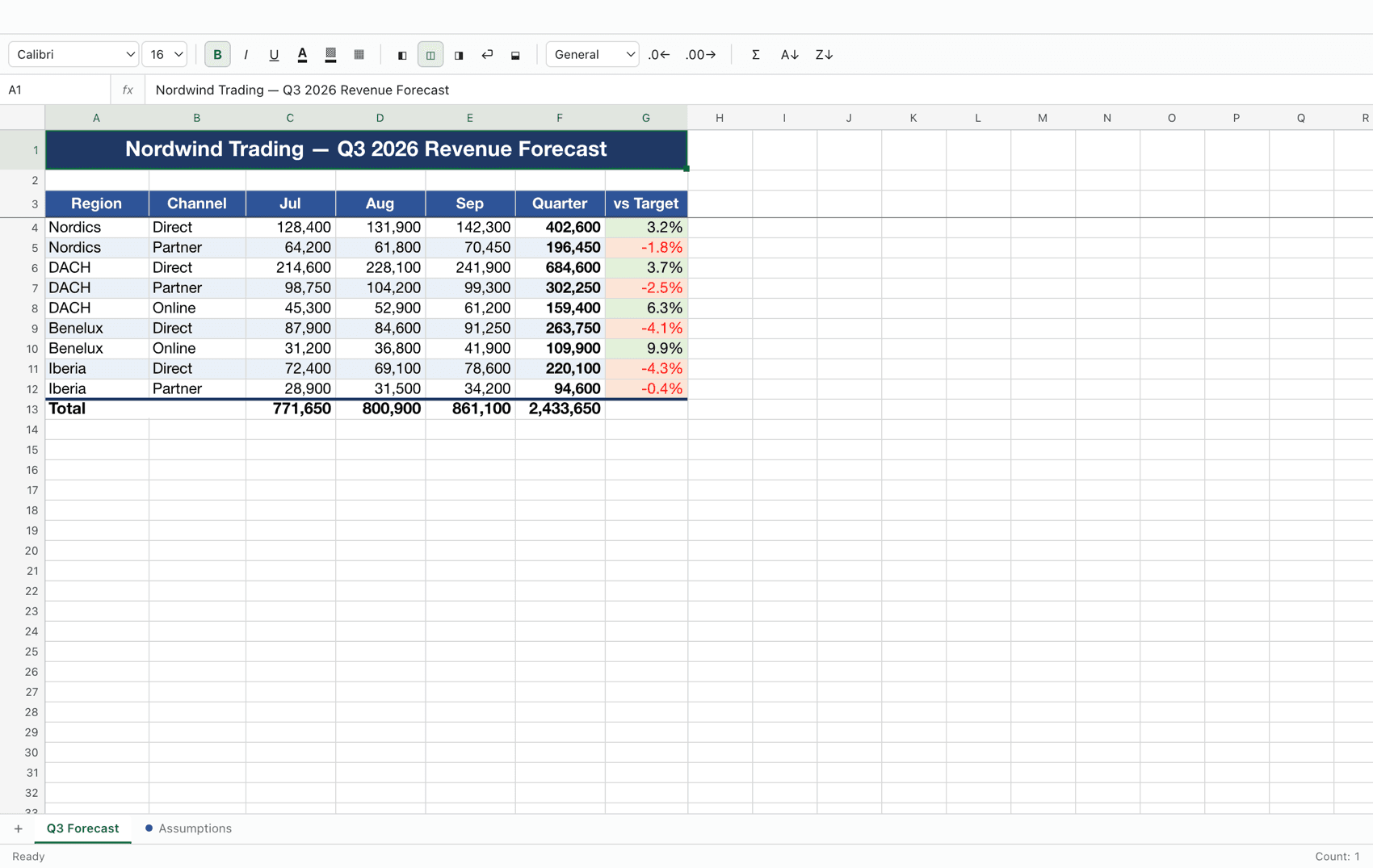
Every other option loses something
Numbers reflows the layout and exports something that is not quite the file you were sent. The free web viewers want an upload before they will show you a column of numbers. And a Microsoft 365 seat is a subscription for the two spreadsheets a month you actually have to open.
It opens the real file
.xlsx, .xlsm, .xls and .csv. Fonts, fills, borders, number formats, merged cells, frozen panes, column widths, hidden rows, sheet tab colours and cross-sheet references all come through — and survive being saved back out.Formulas actually calculate
It is a Mac app
.xlsx in Finder and it opens here.Dark mode that respects the document
Editing, not just viewing
Free, and the source is open
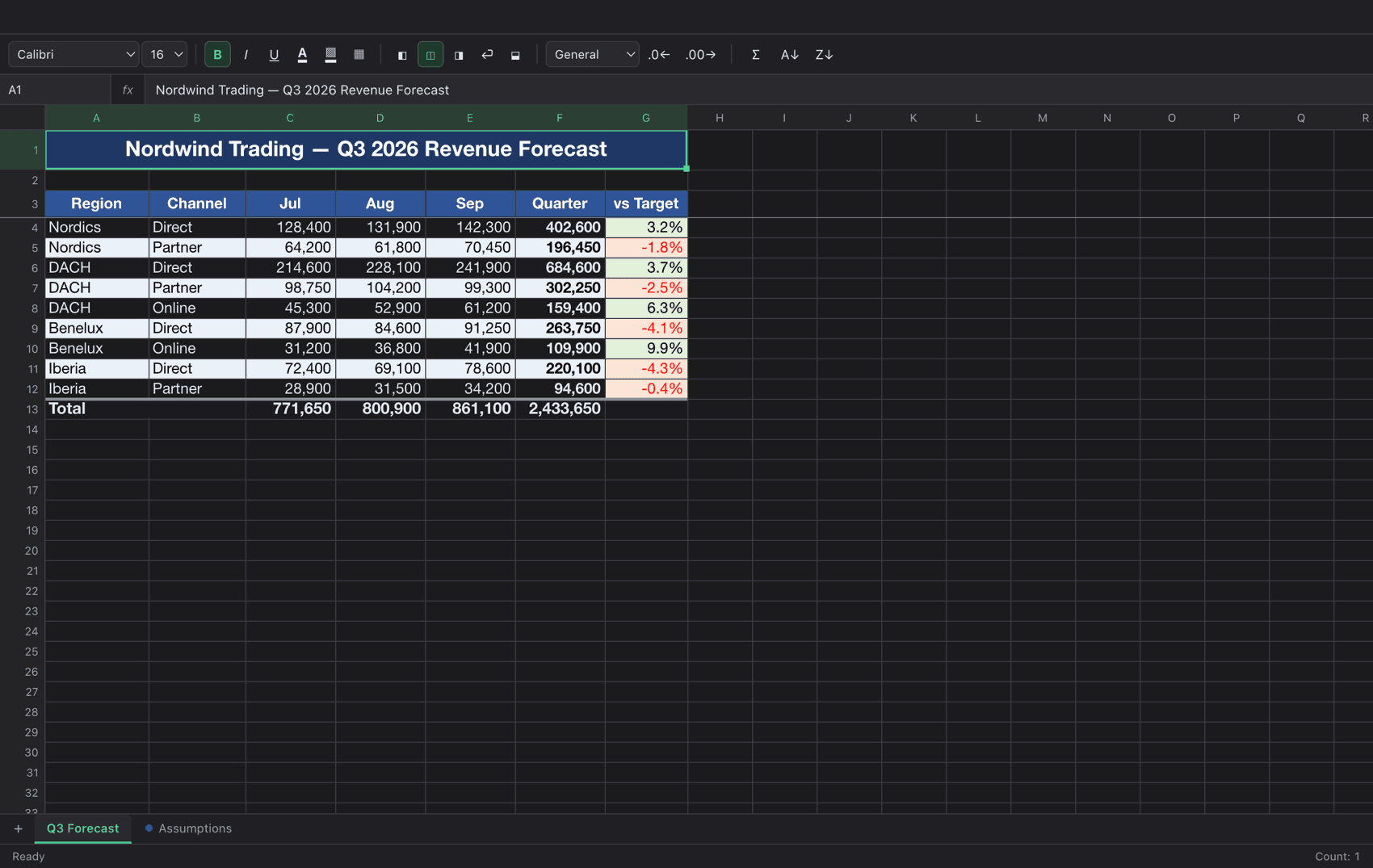
The same sheet, after dark
The green totals and the red variances are the workbook's own colours, untouched. Only the black text and hairline borders Excel drew for a white page are lifted, so nothing disappears into the background.
What it does not do
- No charts, pivot tables or macros. A workbook containing them opens and its data is fully editable, but those objects are not shown and are not written back.
- Legacy
.xlsand macro-enabled.xlsmopen read-only and save to an.xlsxbeside the original, so the macros in the source file are never damaged. - Password-protected workbooks cannot be opened.
- Apple Silicon only. Found something else? Open an issue or email me.